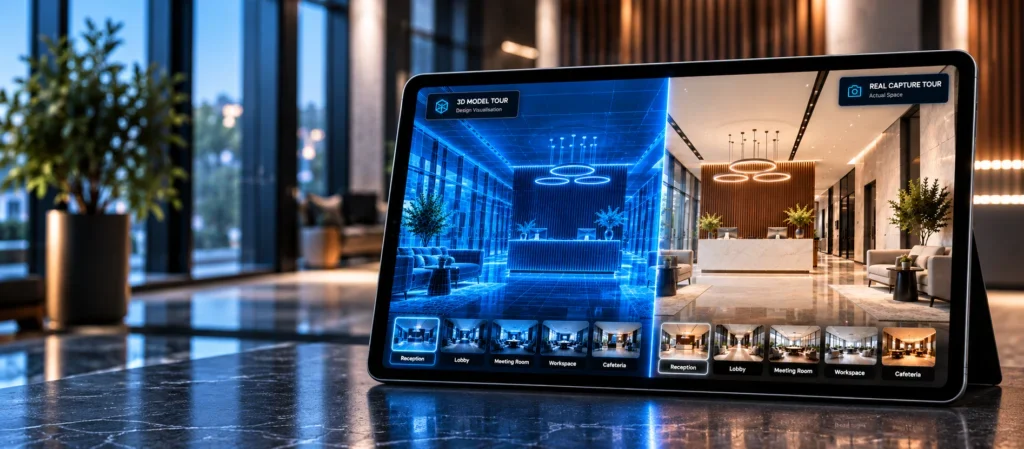
The short version
- A digital twin is an accurate 3D copy of a real building that lives online and keeps its true size and layout.
- It’s made by scanning the space with a professional camera, or from 3D design files if it isn’t built yet.
- People use it to sell, rent, book, build, maintain and show spaces without travelling there.
- Anyone can open it from a link, on a phone, tablet or computer. No app needed.
01A digital twin, in one sentence
A digital twin is a true-to-life copy of a real place that you can explore on a screen, room by room, at your own pace.
Think of it as Google Street View, but for the inside of a building, and far more precise. You can stand in the doorway, look around, walk to the window, check how far the sofa is from the wall and see the whole floor from above like a dollhouse. Everything sits exactly where it is in real life.
In engineering, the term means something even bigger. IBM describes a digital twin as a virtual model of a real object or system that uses live data to mirror how the real one behaves [1]. For buildings, most people start with the visual twin: an accurate 3D copy you can walk through. More information, like documents, notes and repeat scans, can then be added to it over time.
02Where the idea came from
The idea is older than you might think. During the Apollo 13 emergency in 1970, NASA engineers on the ground used simulators of the spacecraft, fed with real data from the crew, to work out how to bring the astronauts home [2]. They couldn’t touch the real capsule, so they worked on its copy.
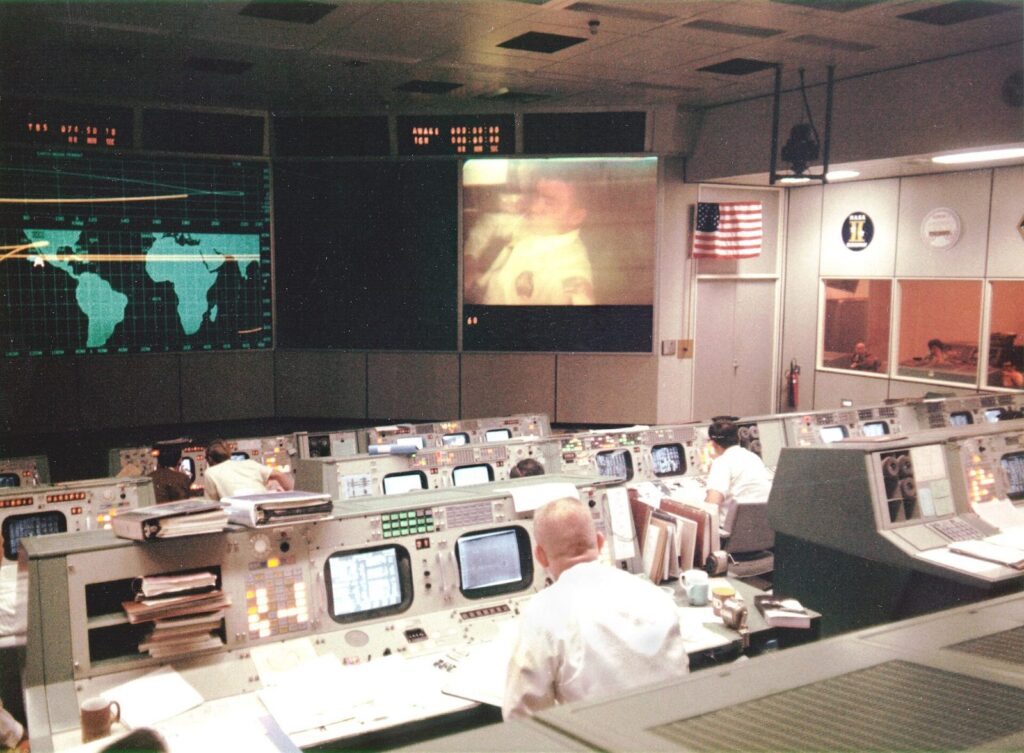
In 2002, Michael Grieves at the University of Michigan described the modern version: a real product, its virtual copy, and the information flowing between them. In 2010, NASA’s John Vickers gave it the name we use today, the digital twin [3].
“They couldn’t touch the real spacecraft, so they worked on its copy.” That is still the whole point of a digital twin today.
What changed in the last few years is cost and speed. Professional 3D cameras and cloud software now let a team capture a whole office, hotel or home in a single visit. That has brought digital twins from space agencies and factories to everyday buildings.
03Twin, 3D model, 360° photos or BIM?
These words get mixed up all the time. The difference, briefly:
| Type | What it is | Walk through it? | True measurements? | Best for |
|---|---|---|---|---|
| 360° photos | Panoramas taken from fixed spots | Jump between spots | No | Quick looks, Google listings |
| 3D model or render | A space drawn by designers | If it’s made into a tour | As designed | Spaces not built yet |
| BIM | Design and building data used to plan construction | Mainly for professionals | Yes | Architects and builders |
| Digital twin | An accurate copy of the real space, as it is | Yes, freely | Yes, when scanned to scale | Selling, managing and sharing real spaces |
A useful way to remember it: BIM helps you design and build a building, and a digital twin helps you show, run and look after it once it exists [4]. For a closer look at the formats people actually see online, read 360° tour vs 3D tour vs video walkthrough.
04How a building becomes a digital twin
For a space that already exists, our Capture service works in four simple steps:
- Plan the visit
We agree which rooms and routes matter, and the best time to scan with good light and few people around.
- Scan the space
A professional 3D camera on a tripod takes a full 360° view from many points. Each scan also measures depth, so the software knows how far every wall and object is.
- Build the twin
Software joins every scan into one seamless 3D space, with a dollhouse view and a floor plan. We then check it and polish the details.
- Share the link
You get a link that opens on any device, and code to embed it on your website. Typical delivery is 3–5 working days after the site visit.

If the building is still on paper, we can make its twin from your 3D models, floor plans and renders instead. That’s our Create service, explained step by step in how your 3D model becomes a tour. It usually takes 10–15 working days from approved files. The full behind-the-scenes story of a scan is in from tripod to link.
05What people use it for
A digital twin does one simple thing: it lets people be there without going there. How that helps different teams:
Buyers explore every room first, so the visits you get are from people who are already interested.
Real estate →Book with confidenceGuests see the room, the pool and the banquet hall before they book.
Hotels →Track constructionScan the site at key stages, like before walls are closed, and keep a record of what’s inside them.
Construction →Compare design and realityPut the approved 3D design next to the finished space and spot every change.
Design vs reality →Maintain and manageTag equipment, add documents and find things fast, without a site visit.
Facility teams →Welcome people remotelyStudents, patients and new staff get to know a place before their first day.
Education →Tell us about it and we’ll suggest the right approach. No obligation.
06Walk through one now
The best way to understand a digital twin is to try one. This is a real office we captured. Drag to look around, click the circles on the floor to walk, and look for the dollhouse button to see the whole floor from above.

Want to see more? Our live tours on the home page show different kinds of spaces.
07When is a digital twin worth it?
Not every space needs one. A digital twin is most useful when:
- Layout matters. People need to understand how rooms connect, how big they feel and what the view is like.
- Your audience is far away. Buyers in another city, guests planning a trip, investors abroad or a head office in a different state.
- Visits are expensive. Every wasted site visit costs your team time, travel and attention.
- The space changes. Construction sites, renovations and fit-outs where a record of each stage is valuable.
Good to knowFor a small, simple space that people rarely visit remotely, good photos may be enough. We’ll tell you if that’s the case.
08Getting one for your space
There are three ways to work with us, depending on where your space is today:
- Capture: your space already exists. We scan it and deliver in 3–5 working days after the visit.
- Create: your space is still a design. We build the tour from your 3D files in 10–15 working days.
- Create + Capture: you have both. We show the design and the finished space side by side.
Every project includes two rounds of revisions, and you can add hotspots, floor plans and more with our add-on features. Before the camera arrives, run through our preparation checklist. Since 2020, we’ve created tours for 80+ clients across 20+ cities in India.
09Questions people ask
Is a digital twin the same as a 3D virtual tour?
Almost. The twin is the accurate 3D copy of the space; the 3D virtual tour is how people walk through it on a phone, tablet or computer. In everyday use, the two words mean the same thing.
Do people need an app to open it?
No. It opens from a normal link in the browser, on any device. You can also embed it on your website so visitors never leave your page.
How long does it take to make one?
For an existing space, usually 3–5 working days after the site visit. From 3D design files, usually 10–15 working days from approved files.
Can a building that isn’t built yet have a twin?
Yes. We make it from your 3D models, floor plans and renders, so people can walk through the design before it’s finished.
Sources
- IBM, What is a digital twin?
- Encyclopaedia Britannica, Digital twin
- VentureBeat, Tech pioneer explains the evolution of digital twins
- Matterport, Digital twin vs BIM (a 3D capture company)
Image credits
- Photo: NASA / Wikimedia Commons · Public domain