The short version
- The same 3D twin used to market a building can help run it for years.
- Facility teams use it to find equipment, plan maintenance and brief contractors without a site visit.
- Tags hold manuals, service records and safety information right where things are.
- A dated, detailed record can also support insurance and handover documentation.
01The twin after the sale
Most digital twins are made to sell or lease a space. The smartest owners keep using them long after.
A building spends a few months being marketed and decades being run. During those decades, facility teams constantly need to know where things are, what’s behind a panel, and what a contractor will find when they arrive. A walkable, true-to-scale copy of the building answers those questions from a desk.
IBM describes digital twins as a way to monitor and improve how physical assets perform over their life [3]. For most buildings, that journey starts with a visual twin and grows from there.

02Everyday uses
Check access, clearances and equipment before sending a team.
Send a link instead of arranging a pre-visit. Quotes become more accurate.
Mark exits, shut-off valves and fire equipment for safety teams and first responders.
New team members learn the building before their first shift.
Facility teams also attach documents like certificates and inspection reports to the places they relate to, so the right paper is always one click from the right room [1].
03Knowing what’s behind the walls
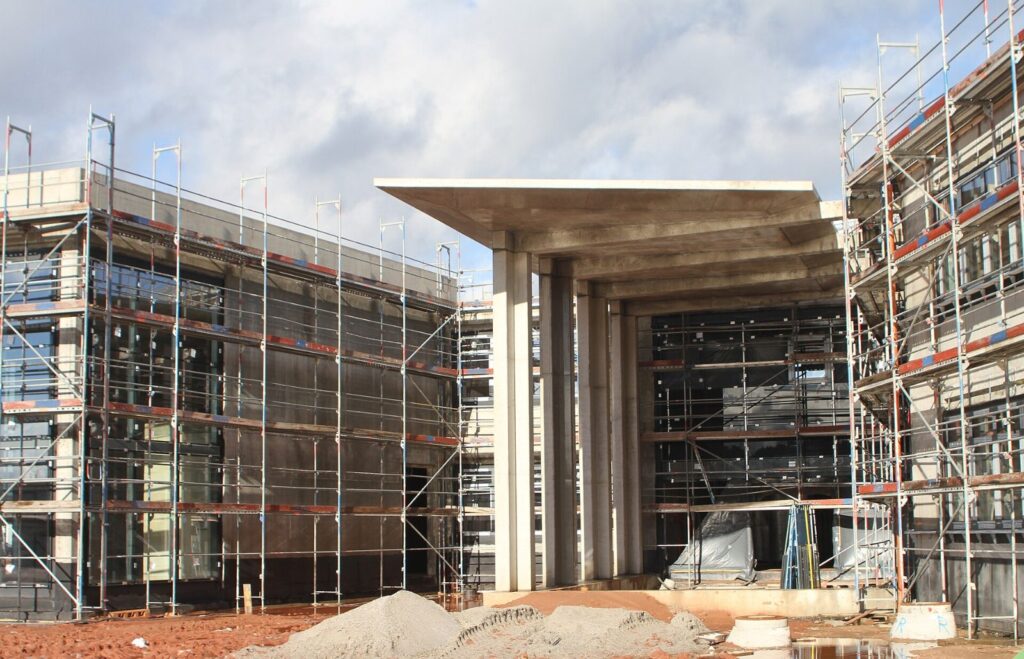
The most valuable records are made during construction, just before walls and ceilings are closed. A scan at that moment shows exactly where pipes, cables and ducts run. Years later, it saves hours of searching and unnecessary breaking open. We explain the timing in tracking construction with 3D scans.

For older buildings, a scan of the current state is still a huge step up from outdated drawings. It’s often called as-built documentation [2].
Tell us about it. We’ll suggest how a twin can help your facility team.
04Adding information over time
A twin gets more useful as you add to it:
- Tags on equipment with make, model, manuals and service dates.
- Notes for contractors on access, isolation points and known issues.
- Repeat scans after refurbishments, so the record stays current.
- Private access, so only staff and approved contractors can see sensitive areas.
Our add-on features cover tags, documents and floor plans for exactly this kind of use.
05Insurance and records
A dated, detailed 3D record shows a space’s condition at a point in time. That can support insurance documentation, handover packs and lease condition reports. Always check with your insurer or lawyer about what they accept as evidence.
How precise is it?Good for showing what was where, and roughly how big. For millimetre-level drawings, see how accurate is a 3D scan?
06Getting started
If you’re new to the idea, start with what is a digital twin of a building? If you manage a campus, an office portfolio, a hospital or an industrial site, our Capture service can scan it and set up a private twin for your team. Large offices and workspaces have their own considerations, covered in offices, coworking and showrooms.
07Questions people ask
How is this different from a marketing tour?
It’s the same 3D twin, used differently. Facility teams add labels, documents and notes, and keep it private for staff and contractors.
Can we add equipment details and manuals?
Yes. Tags can hold notes, links, photos and documents, placed right where the equipment is.
Can contractors see it without visiting?
Yes. A private link lets them check the space and plan work before they arrive.
Does it help with insurance?
A dated, detailed record of a space can support insurance documentation. Check with your insurer about what they accept.
Sources
- Matterport, How reality capture improves facility management (a 3D capture company)
- Matterport, As-built documentation using digital twins (a 3D capture company)
- IBM, How digital twins optimise asset performance
Image credits
- Photo: Wolfmann / Wikimedia Commons · CC BY-SA 4.0
- Photo: U.S. Air Force, Airman Synsere Howard / Wikimedia Commons · Public domain